The problem
REAPER's piano roll shows your notes, but nothing tells the viewer which notes are playing right now. For a video, a lesson or just following along, you want the notes to light up as they sound.
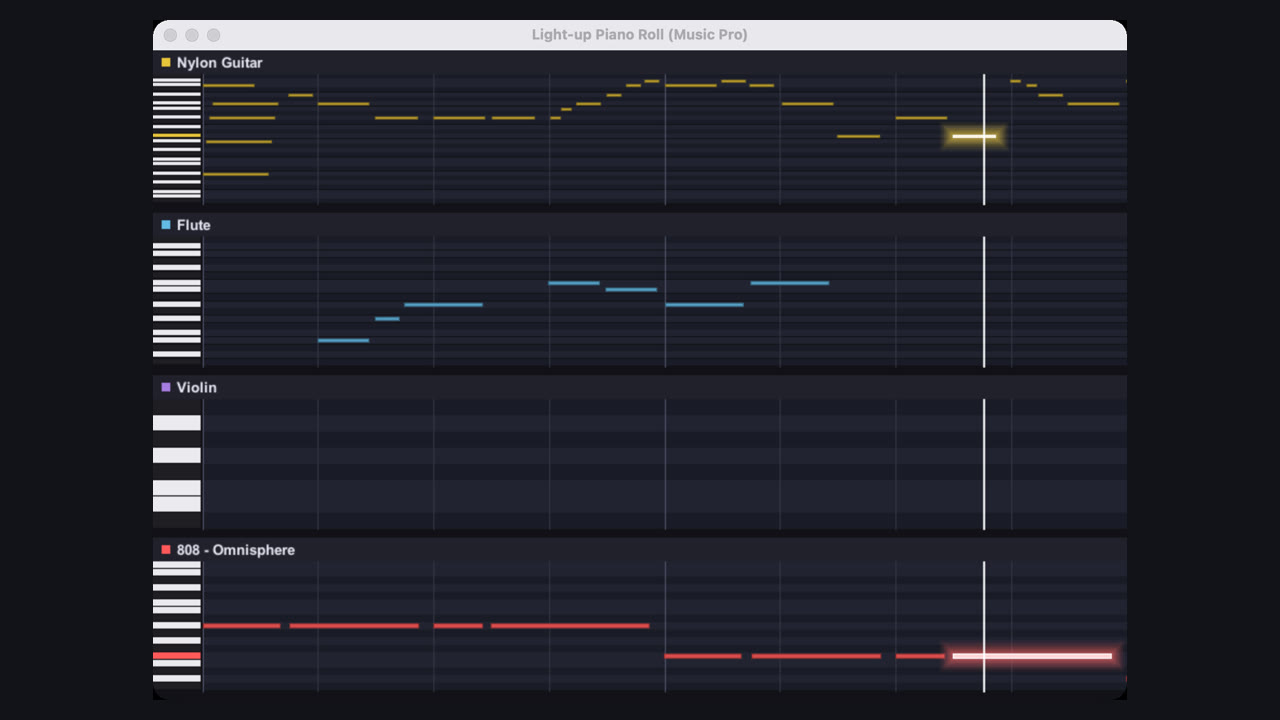
This script opens its own window with one lane per track, in the track's colour. Each note glows while it plays and its key lights up on the keyboard.
Step by step
- Download the scriptGet it from the Free Vault. Unzip it and keep MusicPro_Light-up_Piano_Roll.lua somewhere you'll find it again, for example REAPER's Scripts folder (Options > Show REAPER resource path).
- Load it into REAPEROpen Actions > Show action list. Click New action, then Load ReaScript, and pick the .lua file. It now sits in your action list as "Light-up Piano Roll (Music Pro)".
- Choose the tracksSelect the tracks with MIDI items you want to see. With no track selected it shows every track with MIDI. Up to six lanes fit in the window.
- Run it and press playRun the action. The window follows the play cursor a page at a time, and every playing note lights up. Stopped, it follows the edit cursor, so you can click around the timeline.
- Set the viewPress + or - for more or fewer bars per page (1 to 16), N to show or hide note names, Esc to close. Resize or dock the window like any REAPER window: it remembers its size, place and settings.
- Record itFor a video, make the window big and record it with your screen recorder while the project plays. Two to four bars per page with note names on reads best on a phone.
Tip: Give the action a keyboard shortcut or a toolbar button (right-click it in the action list) so it is one press away. Changing tracks or notes while it is open updates the window straight away.
Common questions
Is it free?
Yes. It's free in the Free Vault, provided as-is, with no support.
Does it work on Windows and Mac?
Yes. It is a Lua ReaScript, so it runs in REAPER on Mac, Windows and Linux. No extensions needed.
Why don't I see a track?
It only shows tracks with unmuted MIDI items. Check the track is selected (or deselect every track to see them all), and that there are no more than six.
Does it change my project?
No. It only reads the notes. Nothing in your project is edited.