VoiceCraft
Voice your chords the way arrangers do.

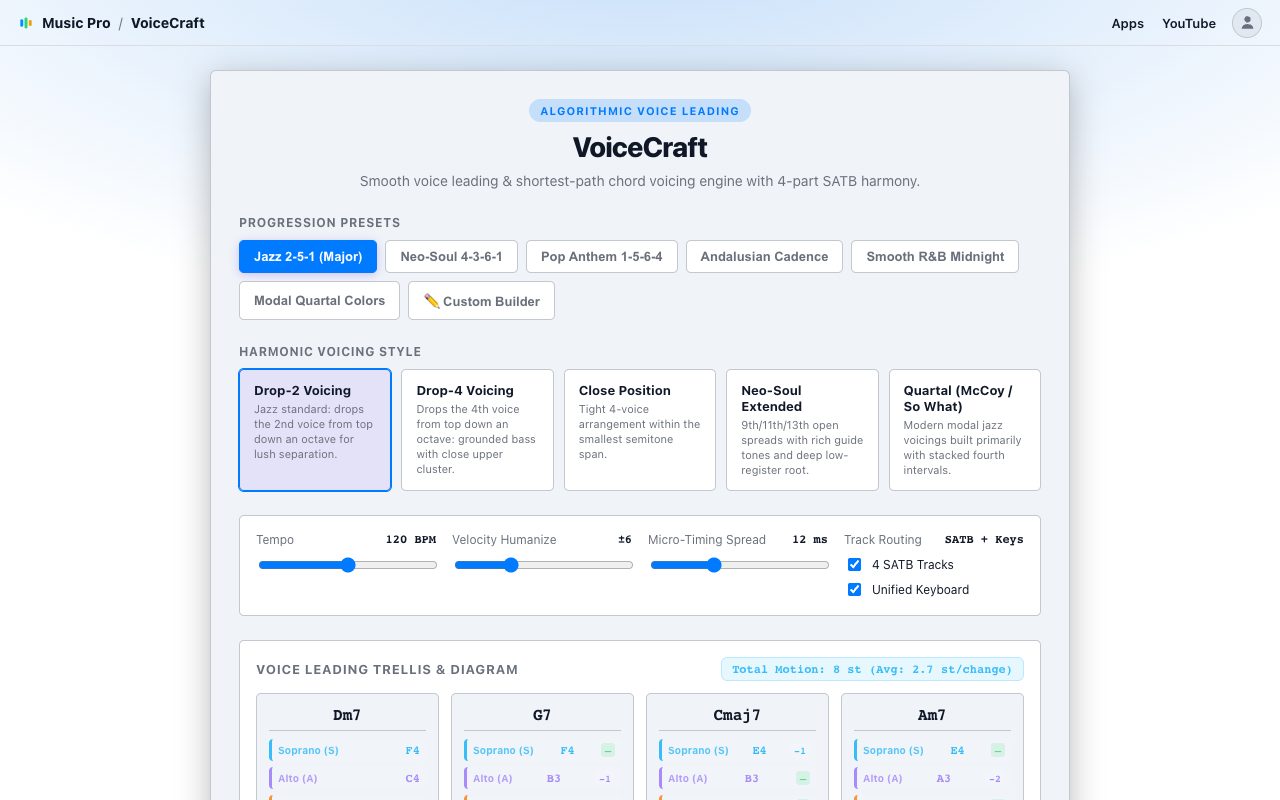
Choose a progression or type your own chords, pick a voicing style, and VoiceCraft moves each voice by the shortest path from chord to chord. You get four-part harmony you can edit in the MIDIGEN studio. It runs in your browser.
Not on sale yetNot open yetAll apps
VoiceCraft showing a voice-leading diagram of four voices across a chord progression

How it works

From your input to editable MIDI.

Pick a progressionStart from a preset, or type your own chords such as Dm9 - G13 - Cmaj9 - A7b9.
Choose a voicing styleDrop-2, Drop-4, Close Position, Neo-Soul Extended or Quartal. The diagram shows each voice and how far it moves between chords.
Voice and open in the studioSet the tempo, a little velocity and timing humanize, and send it to four tracks (soprano, alto, tenor, bass) or one keyboard track. Then edit and export the MIDI file.

Good to know

  • The voice-leading diagram shows the total movement in semitones, so you can see how smooth the result is.
  • Chords are typed as text, separated by hyphens or commas.
  • It voices chords you give it. It does not listen to a recording.