The problem
A loop made in a browser can sound plain. That's because the app plays it with simple sounds.
The notes are the idea. Put real instruments on the same MIDI and it starts to sound like a record.
Step by step
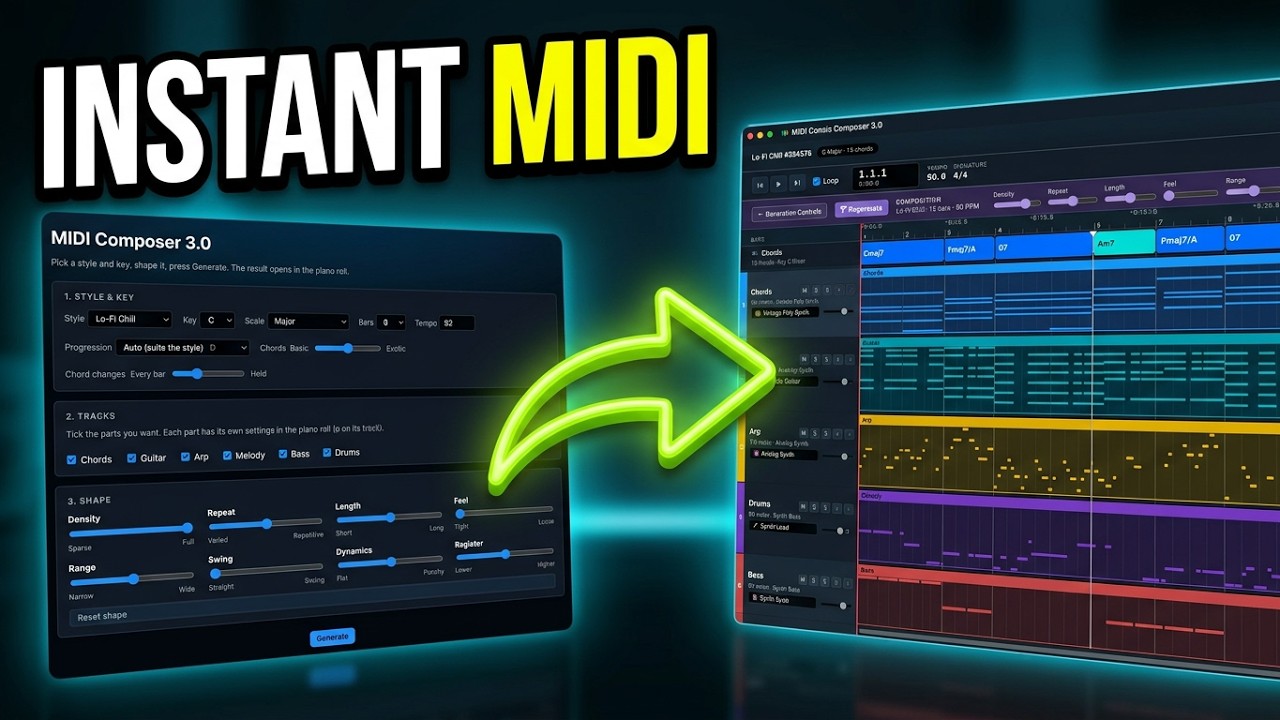
- Pick a style and keyIn MIDI Composer 3.0, choose a Style, a Key and a Scale. The video uses Neo-Soul in D Dorian at 84 BPM, 8 bars.
- Choose your tracksKeep Chords, Guitar, Melody, Bass and Drums. Leave Arp out so it doesn't get too busy.
- Leave the shape for nowThe Shape sliders change the feel: Density, Repeat, Swing, Dynamics and more. The middle is a good place to start.
- Generate and listenPress Generate. Every part is on its own track, with the chords across the top. Listen to the parts one by one, then all together.
- Export MIDIClick Export MIDI and drop the file into your DAW. In Logic Pro every part lands on its own track with a default instrument.
- Swap the instrumentsChange only the sounds: drums, bass, chords, guitar. The notes stay exactly the same.
Tip: The styles are starting points, not genre presets. Neo-Soul sets the feel of the chords, rhythm and groove. The real sound comes from the instruments you choose later.
Common questions
Do I need to know music theory?
No. You pick a style and a key, and the app writes the MIDI.
Does it only work with Logic Pro?
No. Any DAW that opens MIDI files will work.
Why does it sound plain in the app?
The app uses simple sounds so you can hear the idea. Your own instruments make it sound finished.