The problem
Repeating a good four-bar loop four times makes it longer, but does not necessarily make it develop. The listener needs changes in density, register or rhythm that make the next section feel different.
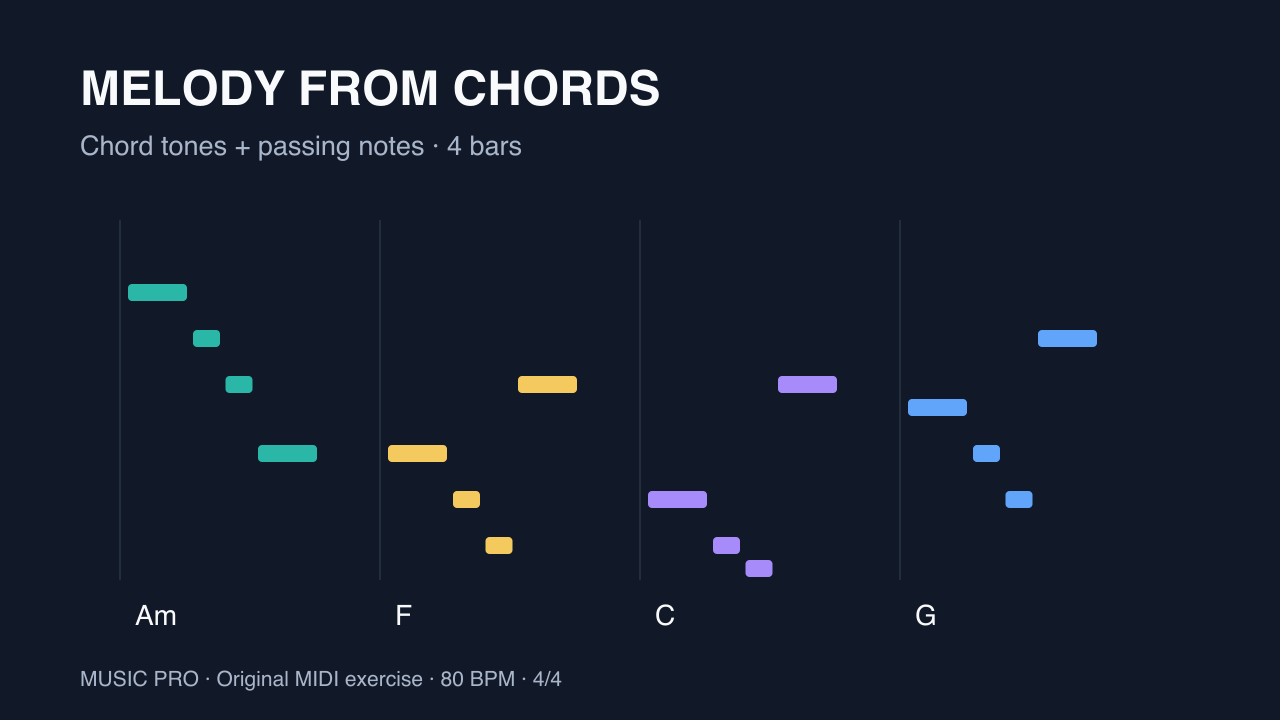
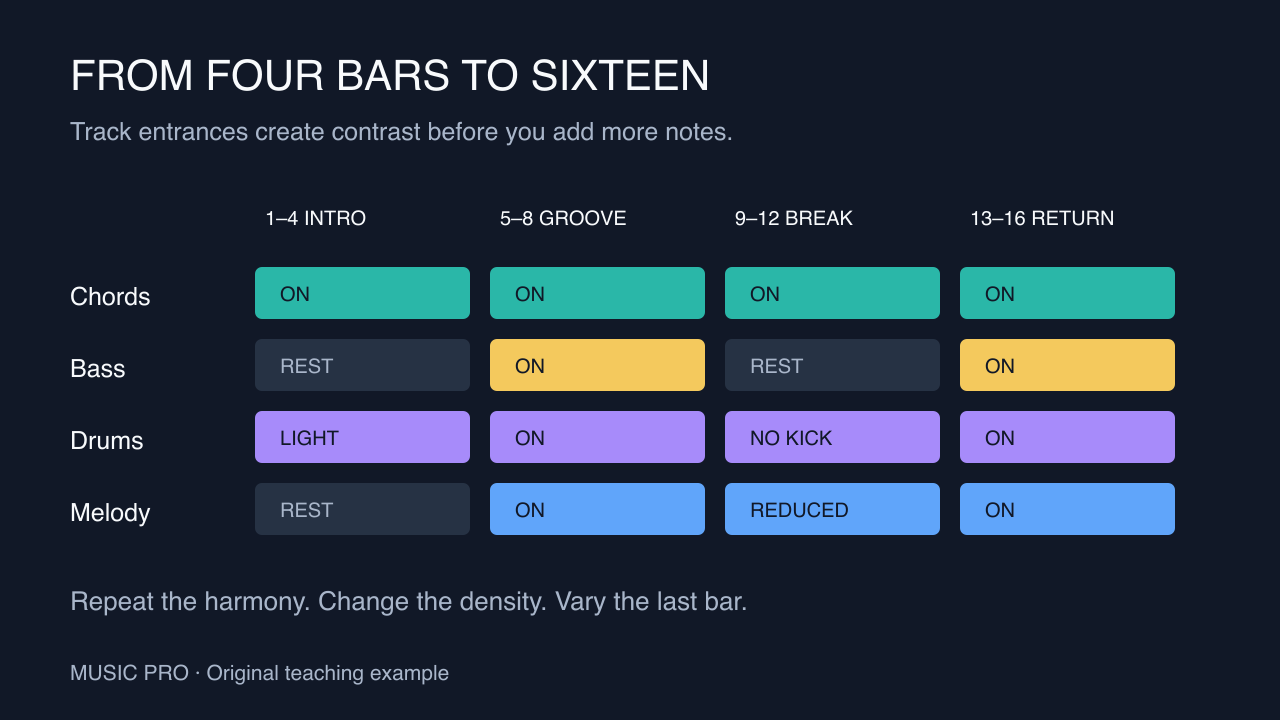
This original 16-bar exercise uses a four-bar Am–F–C–G loop with chords, bass, drums and melody. Its section map is a manual arrangement plan, not a screenshot or a claim about the exact output of a generator. You can follow it in any DAW before trying an automated starting point.
Step by step
- Prepare a loop with separate partsKeep chords, bass, drums and melody on separate MIDI tracks. Confirm that each part starts at bar 1 and the intended loop ends at bar 5. Notes or controller events beyond that boundary can cause an exported loop to be longer than expected. Save a copy before arranging.
- Bars 1–4: introduce the harmonyCopy the loop into the first four bars, but mute bass and melody. Keep the chords and a light drum part, such as hats without the main kick pattern. This makes the opening recognisable without using every layer immediately.
- Bars 5–8: establish the full grooveRepeat the chords and bring in bass, the full drum pattern and melody. Keep the harmony unchanged so the new energy comes from the track entrances. In the final beat of bar 8, replace a few drum hits with a short fill rather than adding a fill over an already dense pattern.
- Bars 9–12: create a breakdownRemove the bass and kick, and leave chords with a reduced melody. For a simple reduction, keep only the first and last melody note in each bar. Shorten the final chord in bar 12 to leave a small gap before the return. The exact gap is an arrangement choice, not a fixed rule.
- Bars 13–16: return with one variationBring the full groove back. Change just the last bar: simplify the melody, add a short drum pickup or stop the drums for the last beat. Avoid changing every layer at once. Compare bars 5–8 and 13–16; the return should feel related but have a reason to exist.
- Use Loop Escaper for another starting pointIn our Loop Escaper, import the original 1–8-bar MIDI loop, choose a structure and select 16 or 32 bars. Set the drum-fill options, audition the section map and reroll the seed to compare variations. Open the result in the studio to edit and export. The manual map above is a listening exercise; the app does not promise to reproduce it exactly.
Tip: Listen once with the screen hidden. Mark the moments where you expect a change and nothing happens. Make one change at those boundaries, then listen again before adding more layers.
Common questions
Is 16 bars a complete song?
It can be a complete short section or sketch. A full song may need additional sections, transitions, a vocal structure and an ending. The exercise teaches development rather than prescribing a song length.
Can Loop Escaper arrange an audio loop?
It takes MIDI loops. The audio in your DAW is not interchangeable with a MIDI file: MIDI lets the tool alter individual notes and drum hits.
How is Loop Escaper different from Arrange?
Loop Escaper develops a short 1–8-bar loop into 16 or 32 bars with variations. Arrange accepts 2–16-bar multitrack MIDI loops and lays them out using song templates and an editable track-by-section map. Choose based on whether you need loop variation or a broader song layout.