The problem
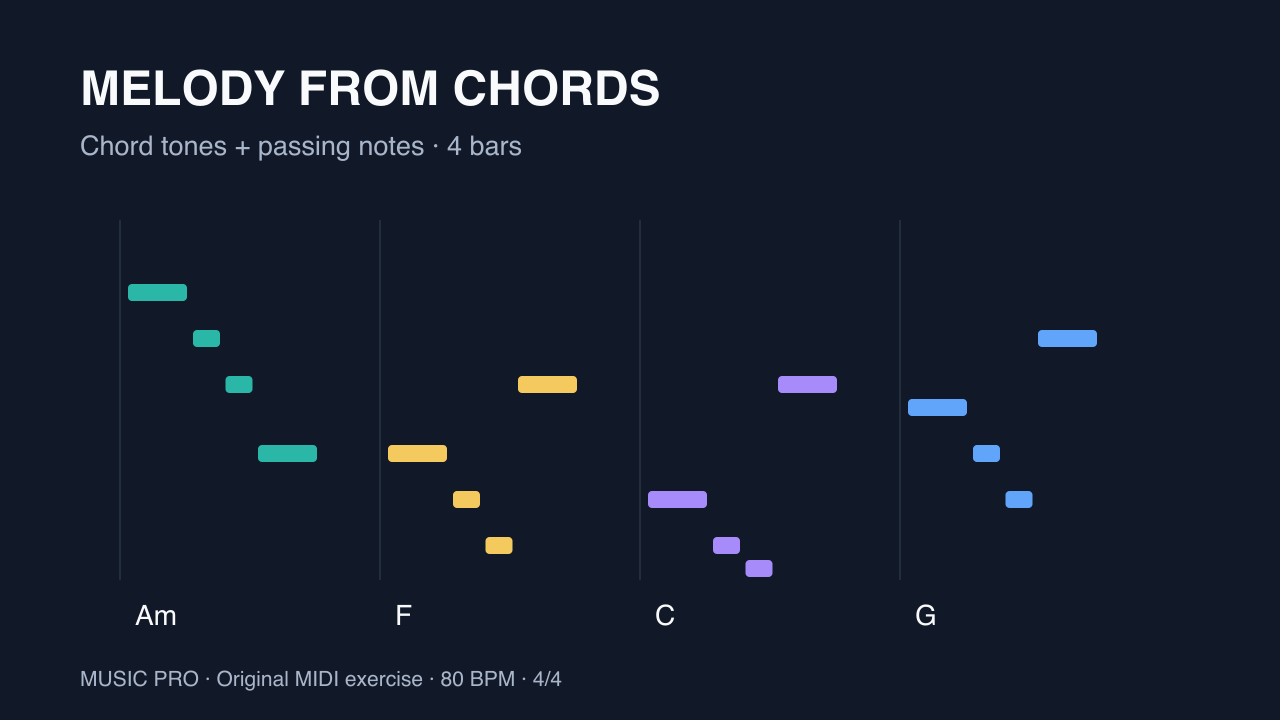
Choosing notes from a scale is only part of melody writing. A line can stay in A minor and still feel unrelated to the chords beneath it. Start by placing chord tones at clear rhythmic points, then connect them with a small, repeatable phrase.
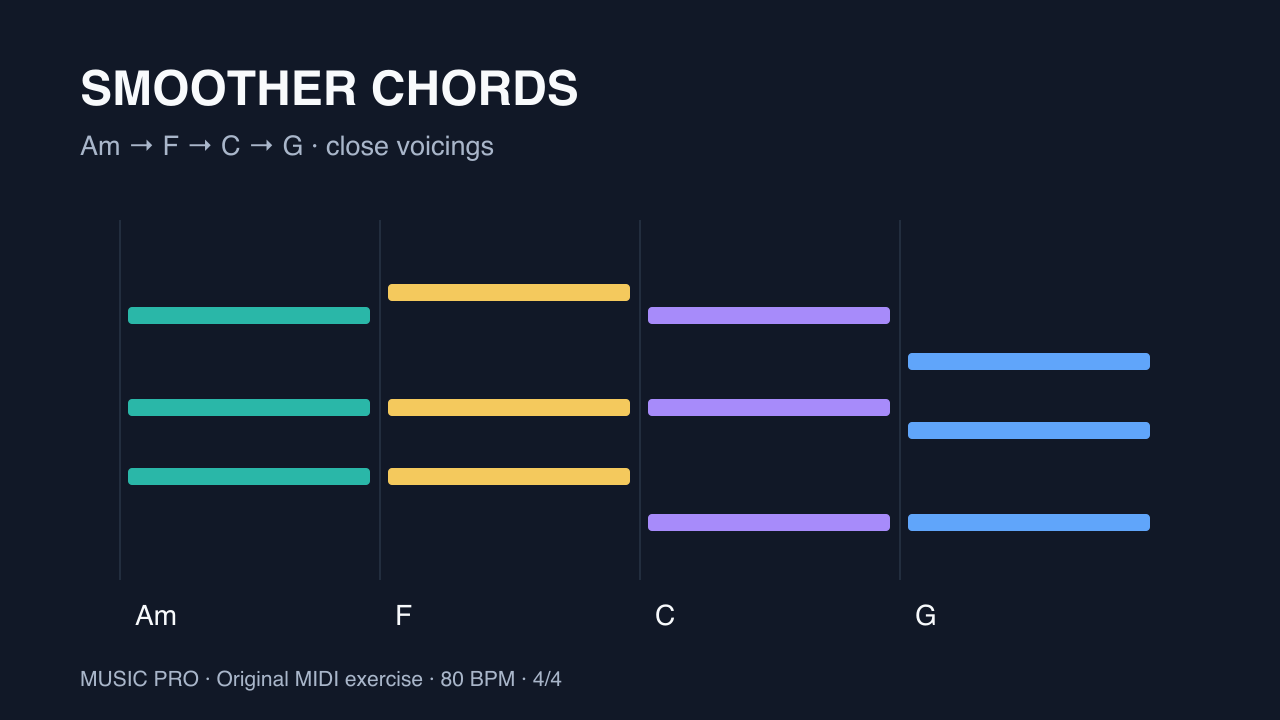
This original four-bar exercise uses Am–F–C–G, one chord per bar in 4/4 at 80 BPM. The download has separate chord and melody tracks. It is a manually specified teaching example, not a report of an app-generated result. Middle C is C4 (MIDI note 60) throughout this guide.
Step by step
- Write the chord tones firstAm contains A C E; F contains F A C; C contains C E G; G contains G B D. All of these notes belong to A natural minor. Keep this small note list beside the piano roll. A note being in the scale does not make it a chord tone over every chord.
- Choose a rhythm you can repeatIn each bar, place a quarter note on beat 1, two eighth notes on beats 2 and 2-and, and a quarter note on beat 3. Leave beat 4 empty. The rest gives the phrase a boundary and leaves room for the chord change.
- Write bar 1 over AmPlay E5 on beat 1 for one beat, D5 on beat 2 for half a beat, C5 on 2-and for half a beat, and A4 on beat 3 for one beat. E, C and A are chord tones. D is a passing note connecting E to C. MIDI pitches are 76, 74, 72 and 69.
- Repeat the shape over FBar 2 uses A4, G4, F4 and C5 at the same positions and lengths. A, F and C belong to F major; G connects A to F. MIDI pitches are 69, 67, 65 and 72. The rhythm repeats while the notes acknowledge the new chord.
- Answer the phrase over C and GBar 3 uses G4, F4, E4 and C5 (67, 65, 64, 72). Bar 4 uses B4, A4, G4 and D5 (71, 69, 67, 74). Keep the same rhythm. F and A are passing notes in these bars; the beat-1 and beat-3 notes are chord tones. D5 at the end can move up to E5 when the loop restarts.
- Develop one feature at a timeListen with both tracks, then change only the last bar's rhythm or ending note. Compare it with the original. If you use our MIDI Composer to generate another starting idea, export the MIDI and inspect where its melody lands at each chord change; keep useful phrases and edit the rest. This exercise does not depend on an automatic melody-from-imported-chords feature.
Example MIDI
Assign an instrument to each imported track. MIDI files contain notes, not audio.
Tip: If the line feels busy, remove a passing note and leave its space silent. If it feels repetitive, change the fourth bar first. Preserve enough of the original rhythm that the variation still sounds connected.
Common questions
Must every melody note belong to the chord?
No. Passing notes can connect chord tones. In this exercise they are short and resolve immediately; longer non-chord tones create more tension and need to be judged in context.
Why does the melody not end on A?
The last chord is G, so the example ends on its fifth, D, before the loop returns to E over Am. To make a final ending instead, add an Am chord and try an A melody note over it.
Why does the imported MIDI make no sound?
MIDI contains performance instructions rather than recorded audio. Assign an instrument to each track, check that neither is muted and start playback at the first bar.