MIDI Composer 3.0
Generate a full MIDI idea in one click.
Pick a style and a key, choose the tracks you want, and MIDI Composer 3.0 generates chords, bass, arp, melody and drums on one chord timeline. Open them in the piano roll, shape them, and drag the MIDI into your DAW.
How it works
From a style to a finished idea in three steps.
Watch the walkthrough
The video above shows how to generate the parts, edit the MIDI and use your own sounds in your DAW.
Read the full step-by-step guide · 12-minute video
Good to know
- It is built on the MIDIGEN studio, so the piano roll, playback and themes are the ones you may already know.
- Generate again, or change the style, whenever you want a different idea.
Starting from a recording? Meet MIDIGEN.
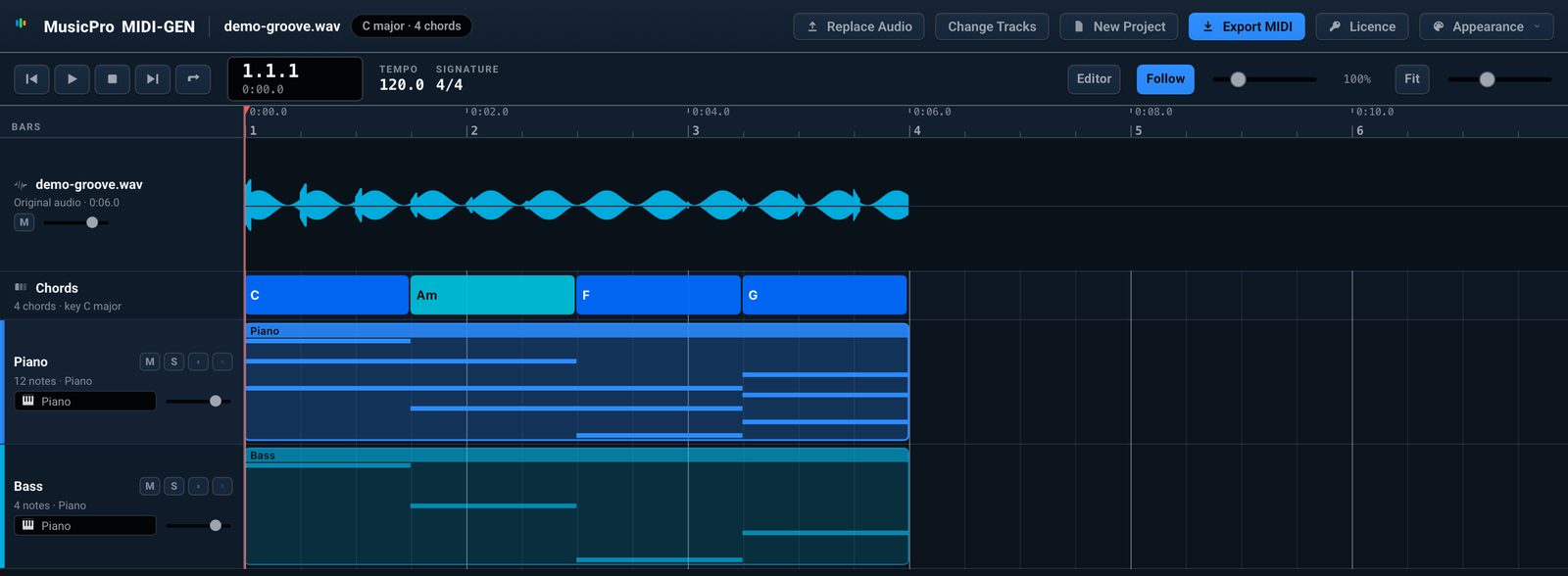
MIDI Composer 3.0 starts with a style, key and chord progression, then generates MIDI parts. MIDIGEN starts with your audio: it detects the key and chords and generates MIDI ideas inspired by the recording.
Both use the same studio and piano-roll workflow for editing and exporting MIDI. Choose Composer when you want a new starting idea, or MIDIGEN when you already have a song or stems to work from.
Explore MIDIGEN · Read the MIDIGEN guide
Guides
- How to make MIDI with your own instruments in MIDI Composer 3.0
- Beat block? How to start a beat when you have no ideas
- Same MIDI, real instruments: from MIDI Composer to Logic Pro
- Funky jazz piano chords in F: a 16-bar progression with voicings for both hands
- How to write a melody from a chord progression
- ii–V–I (2-5-1) chord progression on piano in every key
- Neo soul piano chord progressions: exact voicings and MIDI
- Lofi chord progressions: 4 piano loops with notes and MIDI